
Channel Preview
Preview and test live channel playback with URL parameters directly in the Uplynk CMS.
You can preview your channel within the Uplynk platform. This allows you to test and verify your channel, including URL parameters, before deploying it to a production environment.
Using the developer tools built into your web browser, you can view the actual HTTP requests for playback with your desired URL parameters and the returned manifests.
Test Channel Playback in the Uplynk CMS
To play back a channel in the Uplynk CMS:
- Go to the channel details page.
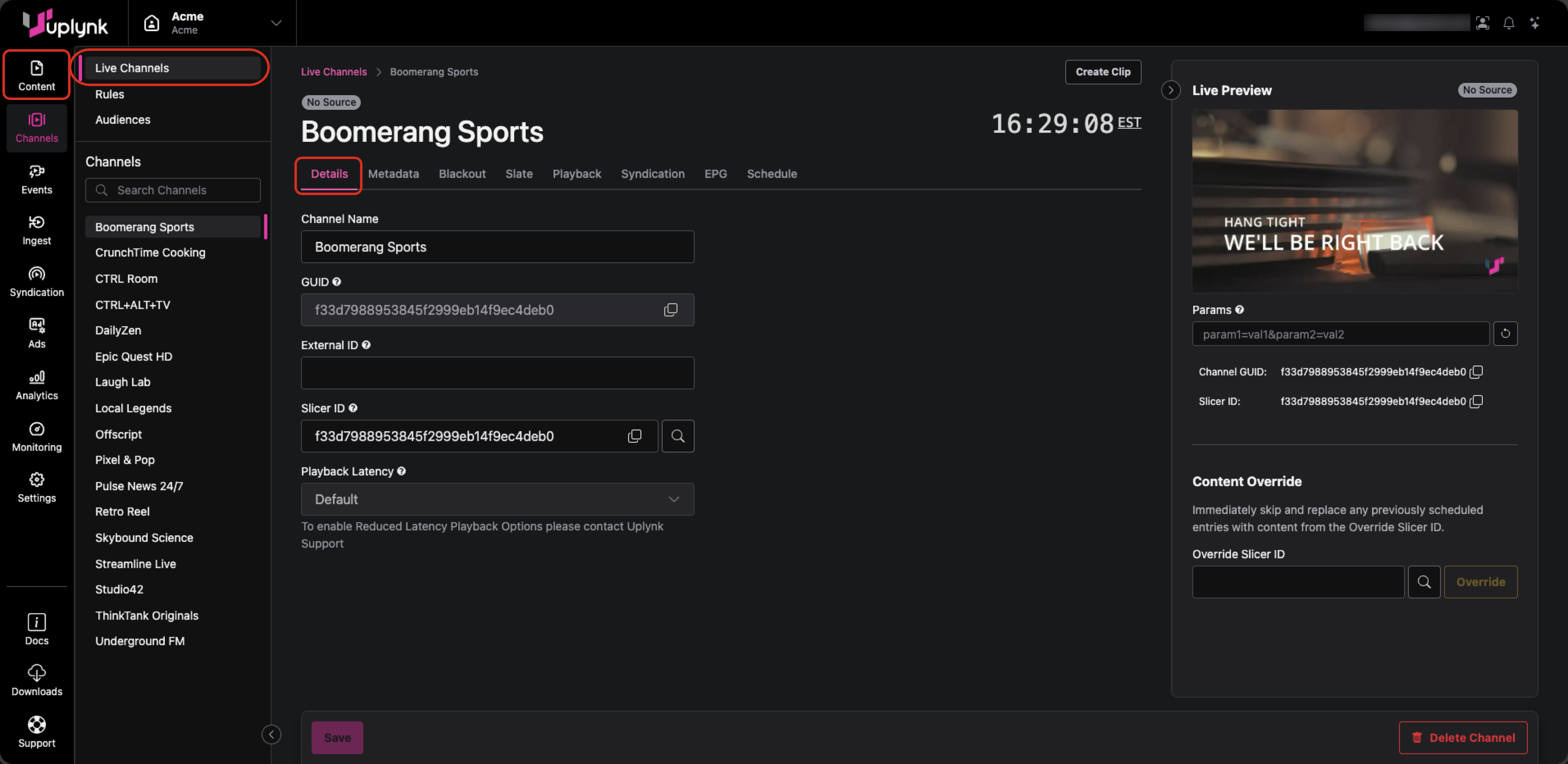
- At the top-right, observe the image under Live Preview and hover your cursor over the image.
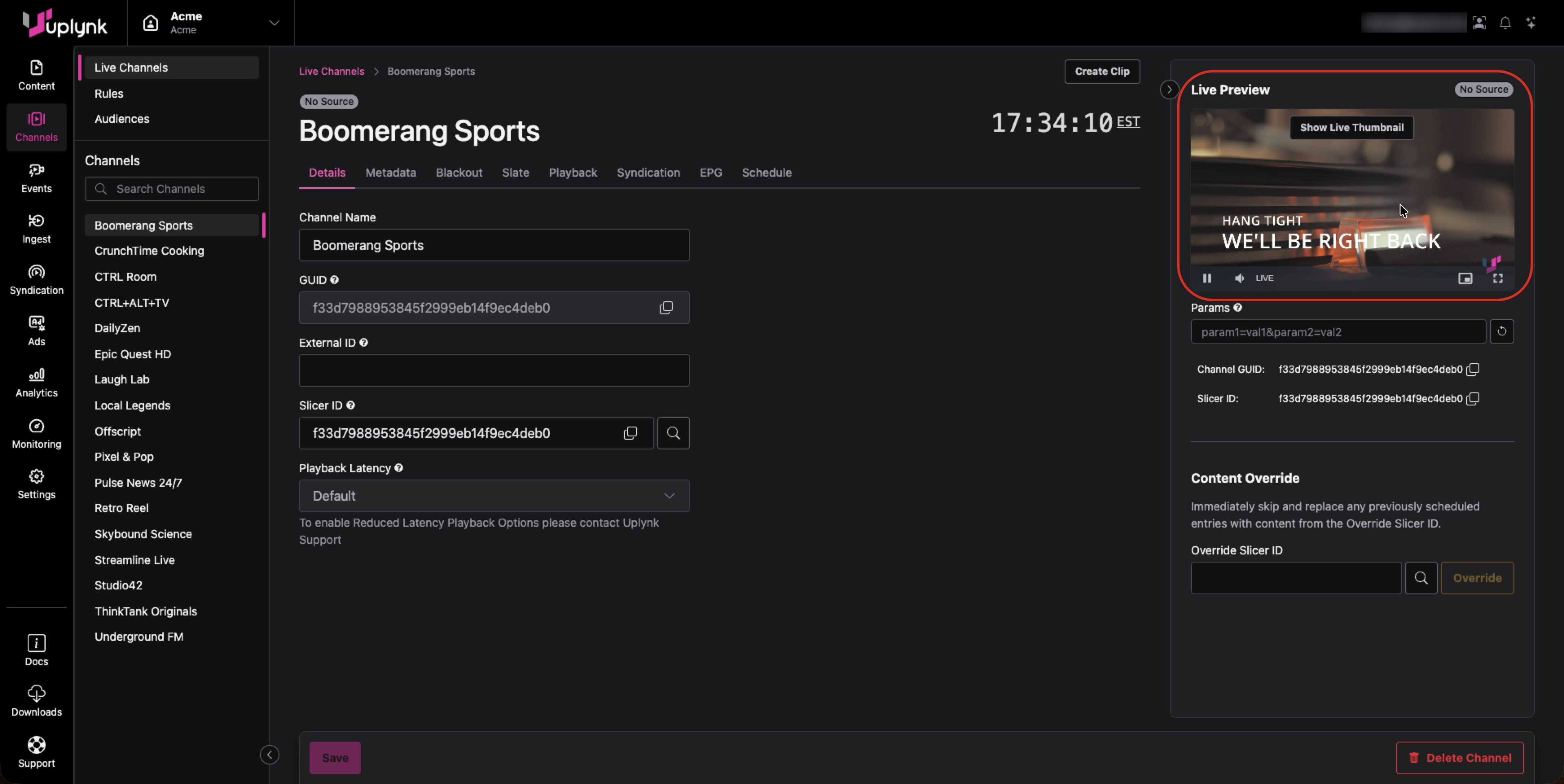
- The Live Preview window should display Show Live Thumbnail, which means the live video channel is playing. If it says Show Audience View, select it to start the live video channel playback.
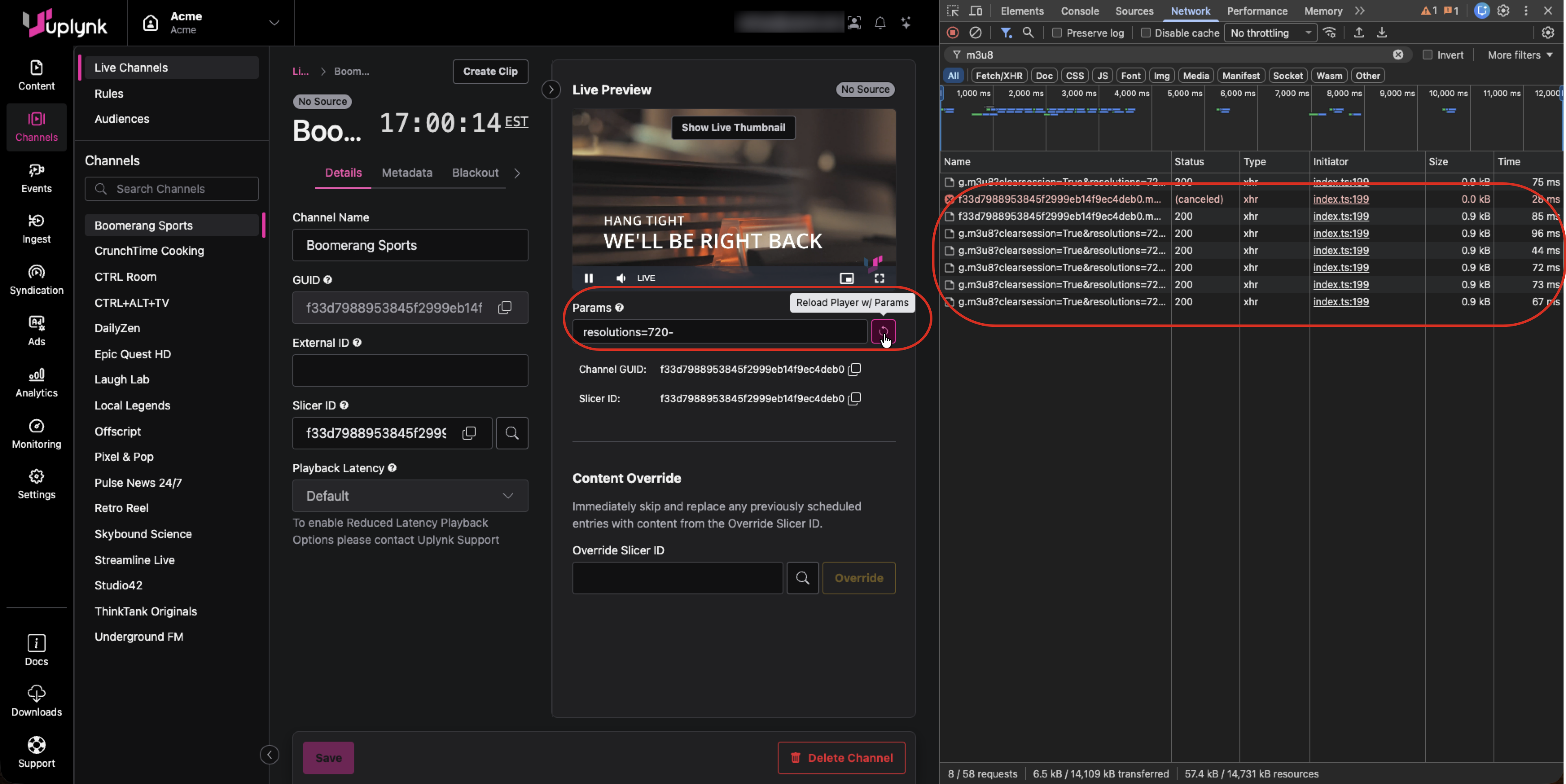
- Enter any desired Uplynk URL parameters in the Params box and select the Reload Player w/ Params button to its right. Uplynk URL parameters are described in Customizing Playback (Playback Customization Parameters).
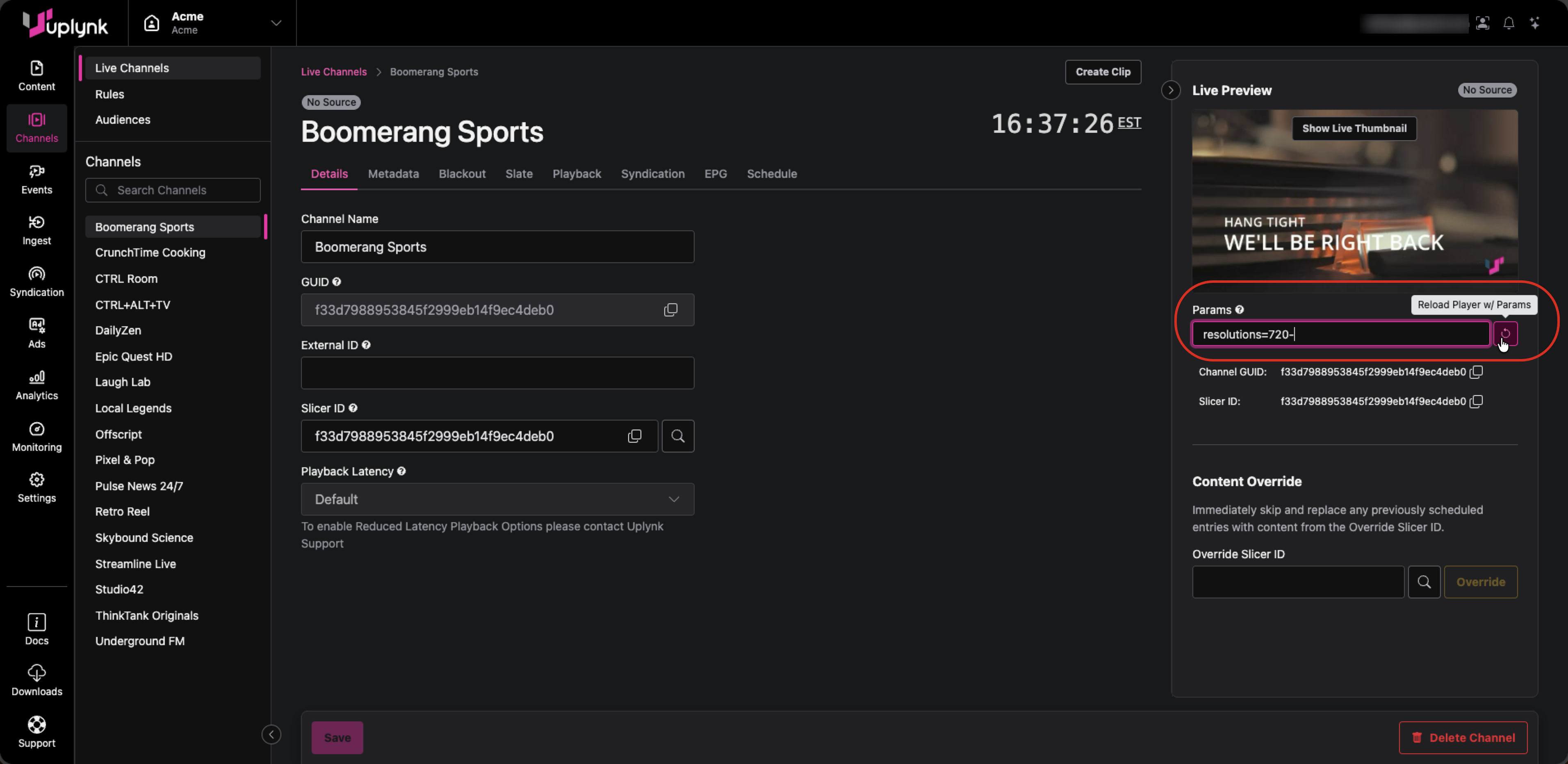
- Observe the Live Preview with the new URL parameters applied.
Viewing Channel Manifests
The instructions below are for Google Chrome, but Apple Safari and Microsoft Edge are similar.
To view the HTTP requests to Uplynk and the returned manifests:
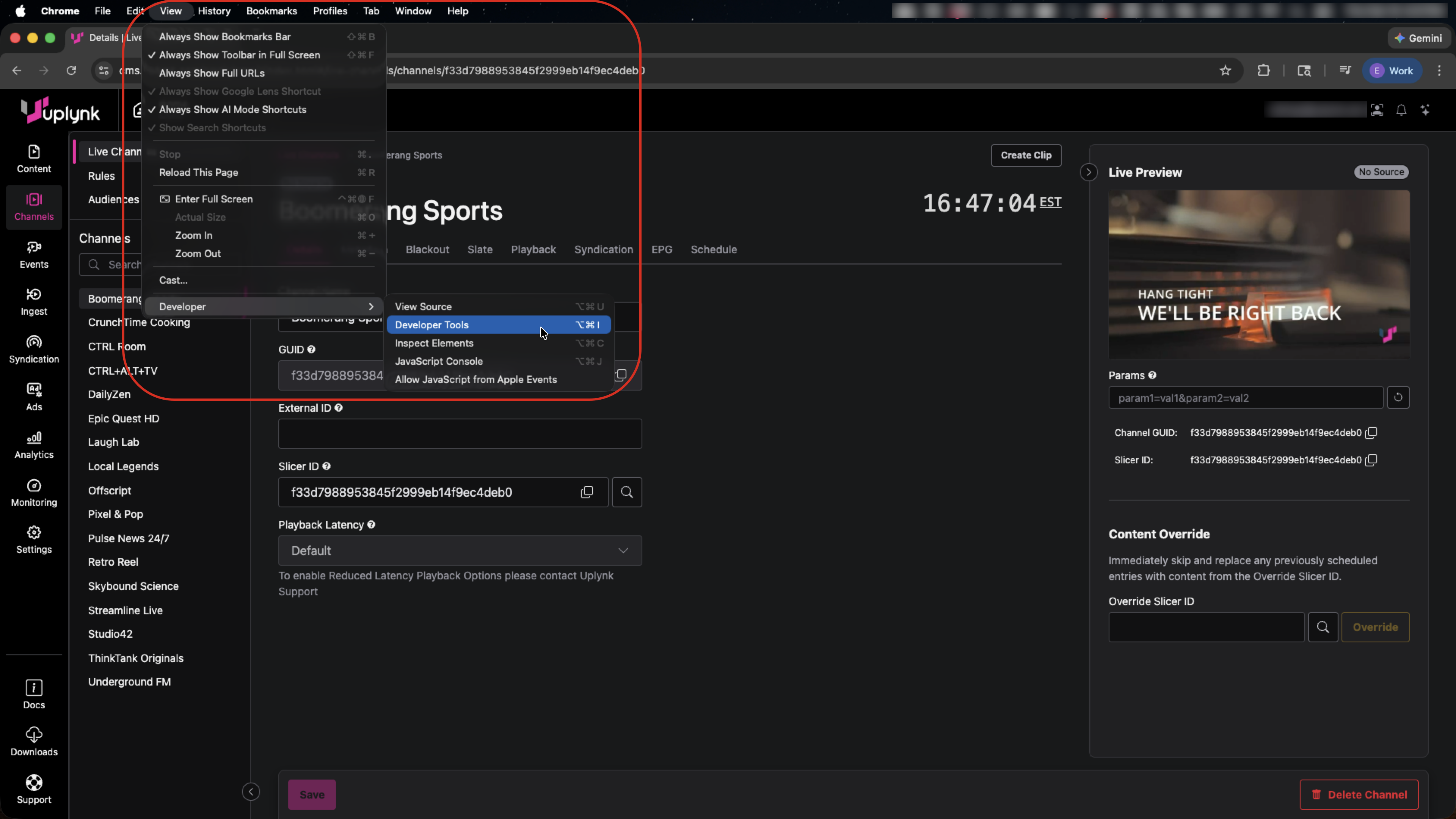
- In the browser menu, select View->Developer->Developer Tools.
- In the Developer Tools, select the Network tab.
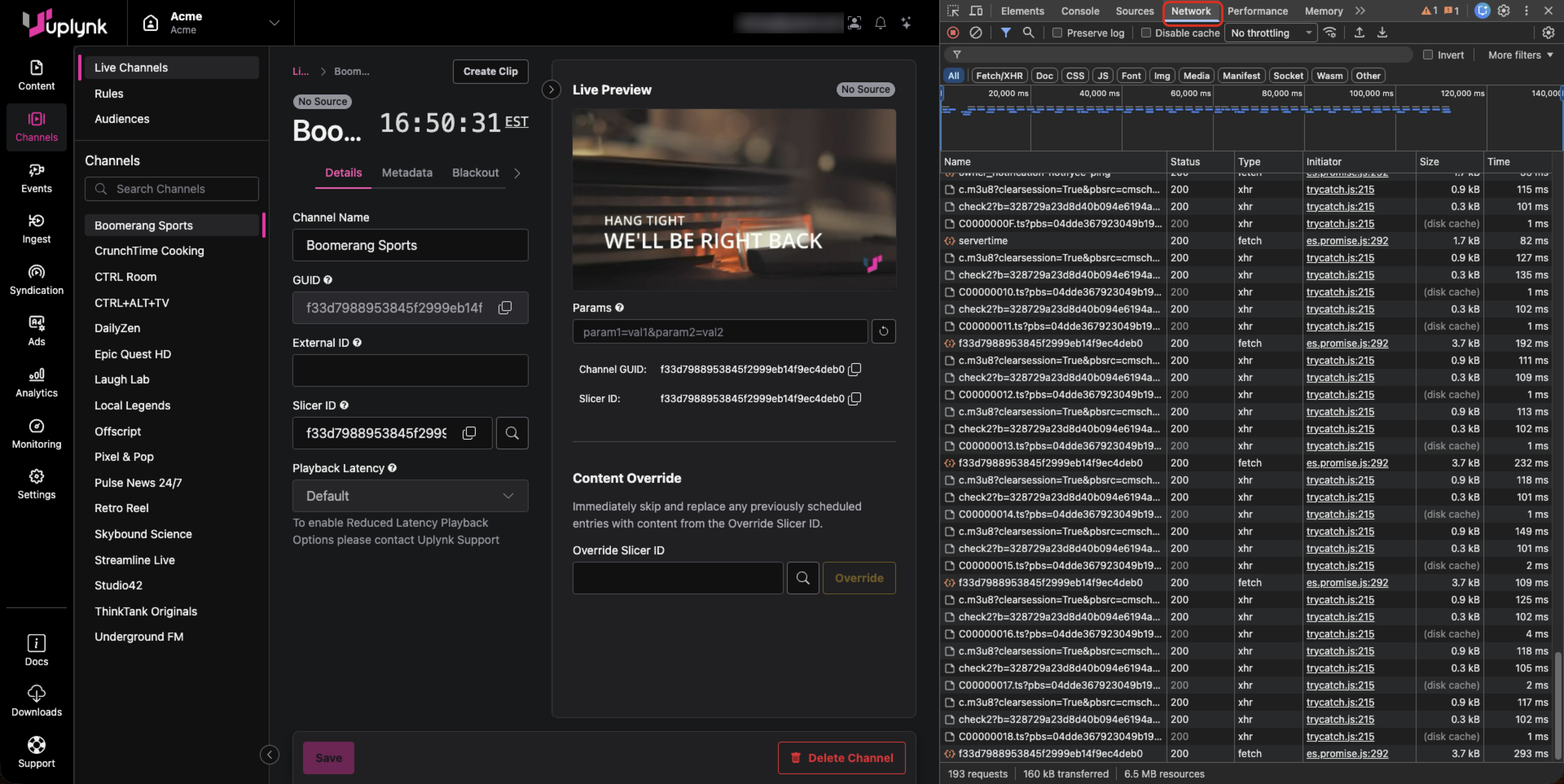
- To make it easier to see the new HTTP calls for manifests, enter m3u8 in the filter box and select the Clear network log icon.
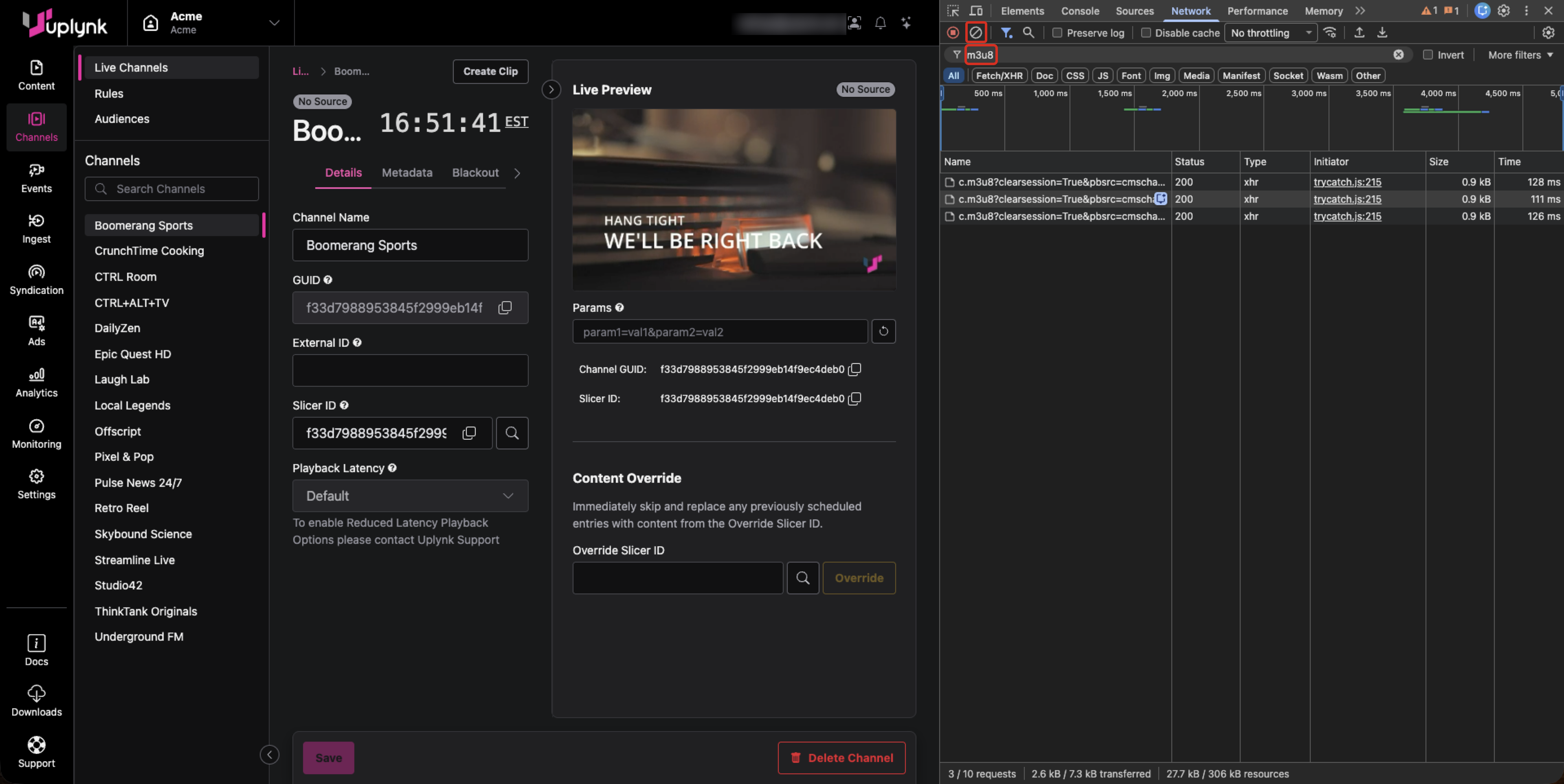
- Enter URL parameters and select the Reload Player w/ Params button. This forces a new video session to start, and the manifest calls appear in the Developer Tools. Manifest requests with a letter followed by .m3u8 indicate a ray manifest, while requests with a long name followed by .m3u8 indicate a top-level manifest.
- Select the top-level manifest call to view the HTTP headers on the Headers tab.
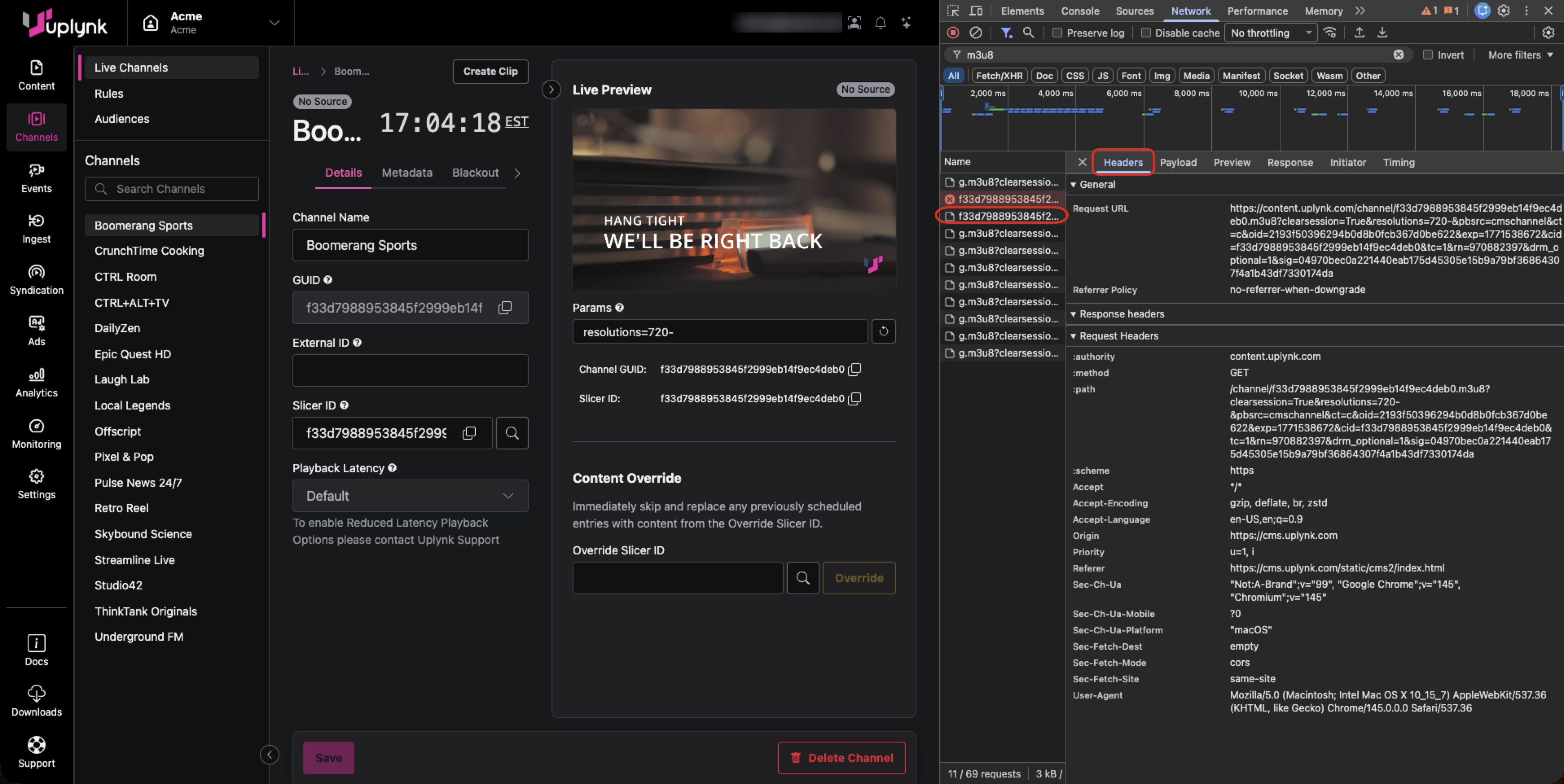
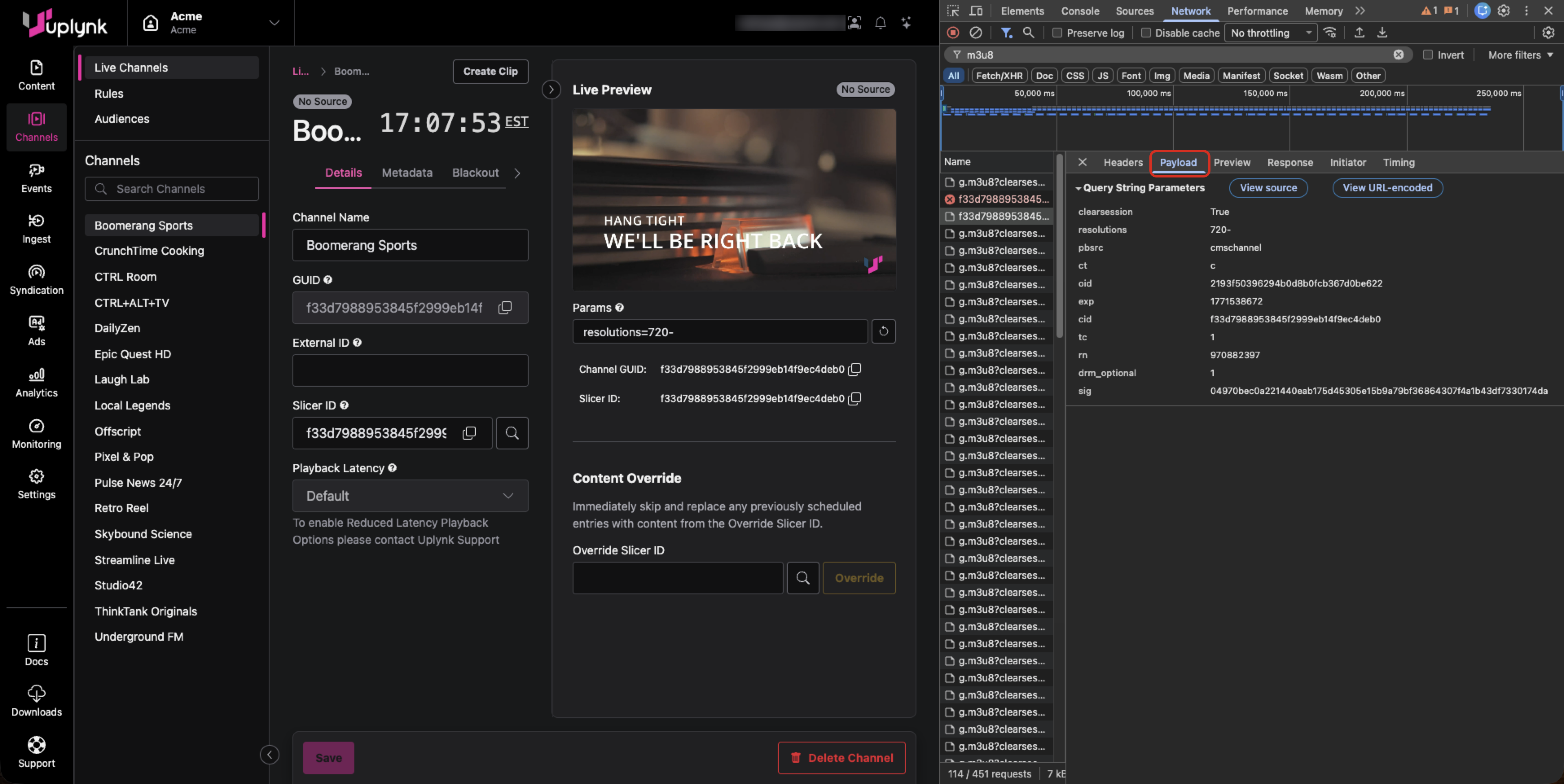
- Select the Payload tab to view the URL parameters.
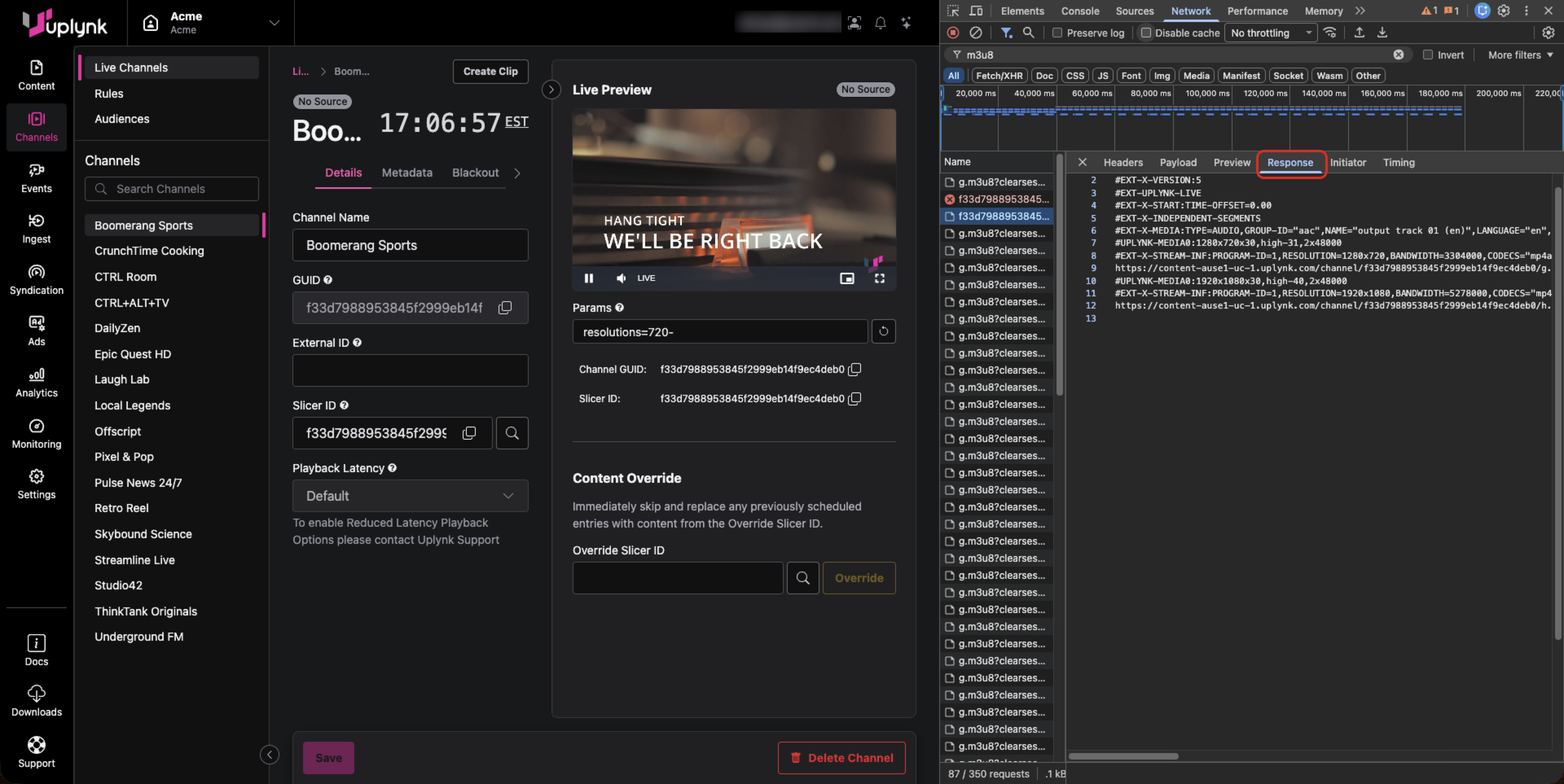
- Select the Response tab to view the HLS manifest.
Updated about 2 months ago
Did this page help you?