
Geoblocking
Restrict content access by country using allow or deny lists in the playback URL.
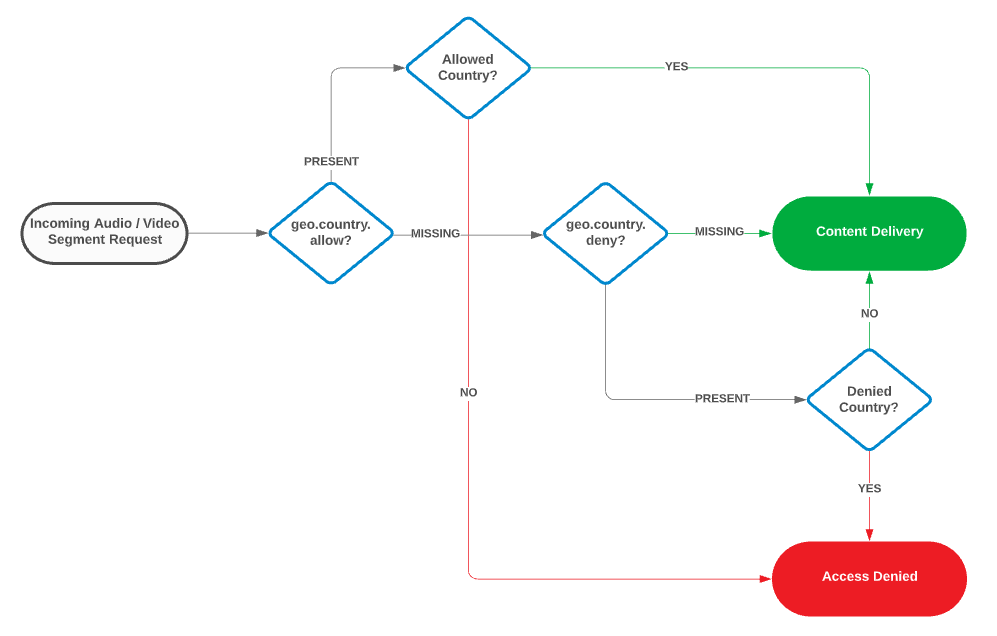
Geoblocking restricts access to your content by country. It prevents users in restricted countries from initiating playback sessions or downloading audio / video segments.
Geoblocking, which requires activation, is incompatible with our Multi-CDN solution. If the Multi-CDN solution has been enabled on your account, then we will need to disable it prior to enabling Geoblocking on your account. Contact your account manager to activate Geoblocking.
How It Works
This section assumes that Geoblocking has been activated on your account. Contact your account manager to enable this capability.
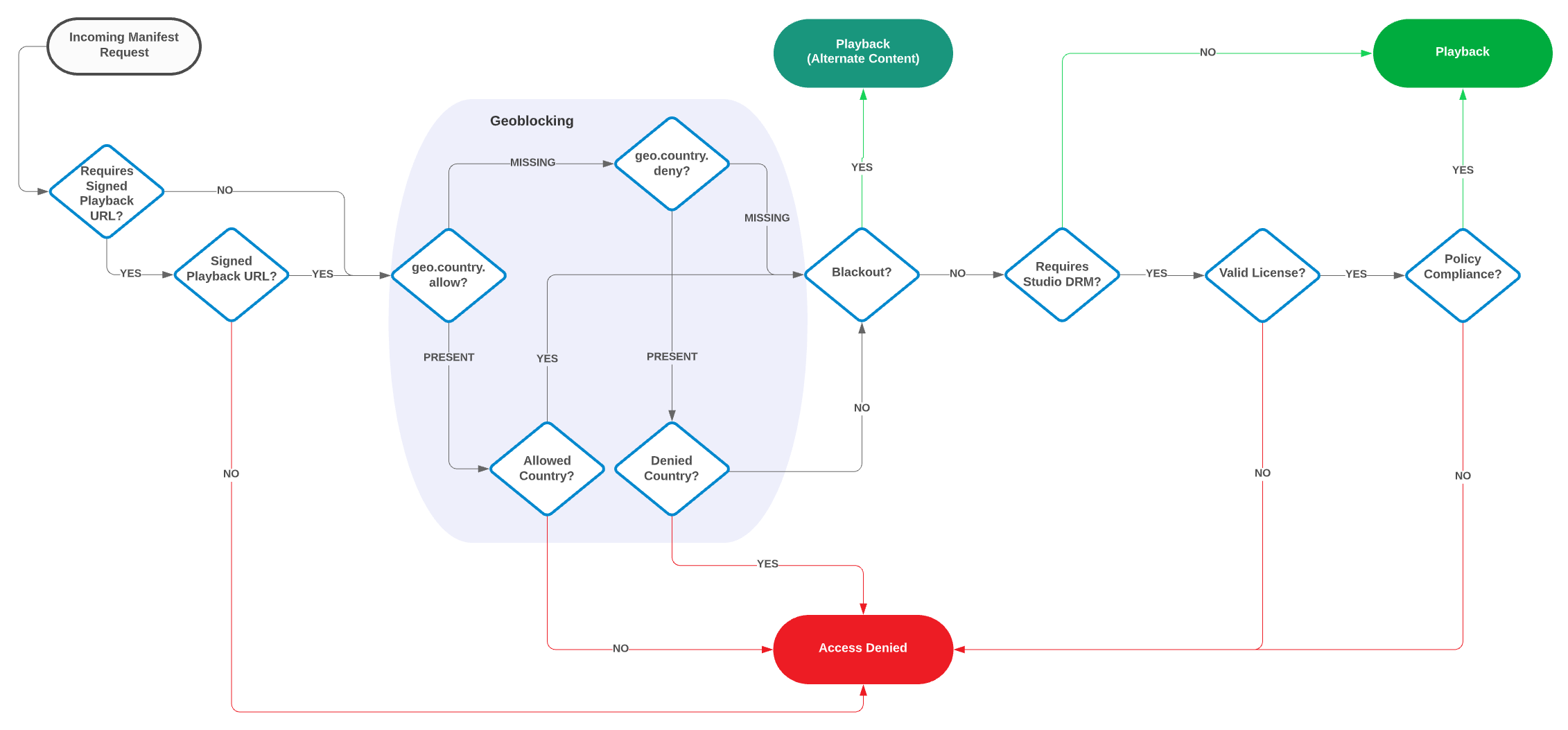
When our service detects a Geoblocking parameter (geo.country.allow or geo.country.deny) in the playback URL, that parameter determines which countries may access playback.
- Allowed Country: Our service checks whether the requested playback session satisfies all other enabled security measures (signed playback URLs, Blackout, and Studio DRM). Upon passing all security checks, the user is allowed to initiate a playback session.
- Disallowed Country: Our service returns a 403 Forbidden response for all requests (e.g., manifest files and audio / video segments) associated with that playback session.
Workflows
Manifest delivery
Audio / video segment delivery
Usage
Contact your account manager to enable this capability on your account.
Define the set of countries that will be allowed or denied access to your content by adding one of the following query string parameters to the playback URL:
geo.country.allow: Restricts access to requests that originate from one or more specified countries. Requests from all other countries are denied.geo.country.deny: Denies access to requests that originate from one or more specified countries. Requests from all other countries are allowed.
Syntax:?geo.country.[allow|deny]=Country Code[,Country Code 2,Country Code n]
Single Country Example:
Restricts playback to requests that originate from the United States: ?geo.country.allow=US
Multiple Countries Example:
Restricts playback to requests that originate outside of the United States, Canada, or Mexico: ?geo.country.deny=US,CA,MX
Key Information
-
These parameters accept any two-letter ISO 3166 country code.
View a list of valid country codes. -
Specify multiple countries by separating each country code with a comma (as shown below).
US,GB,MX,FRDo not add a space when delimiting countries. Country codes that are preceded by a space will be excluded from your geoblocking policy.
-
Country codes are case-insensitive.
-
If both Geoblocking parameters are defined within the playback URL, then
geo.country.allowtakes precedence overgeo.country.deny.
Updated 3 months ago