
Failover Thresholds and Status
Define the fault thresholds that trigger a failover, and monitor the current state of a failover group.
Failover Thresholds
For each Failover Group, you can define thresholds to precisely control the failover conditions. Failover thresholds are defined in the CMS and can be adjusted as needed. Generally, you should only change thresholds from the defaults upon advisement from Uplynk Support.
All thresholds include hysteresis - how long a parameter needs to be in the failure condition to be considered failed and how long a parameter needs to be in the working condition to be considered working.
Individual thresholds have a "severity" which is used when more than one channel has impairments so that the channel with the least severe impairments is used.
Failover Thresholds UI
The Thresholds tab is used to set the failover thresholds. The toggle enables or disables the individual threshold.
Each threshold has a severity. If there are only unhealthy Slicers, the one with the least severe issue is used as the active Slicer. Select Save to save thresholds.
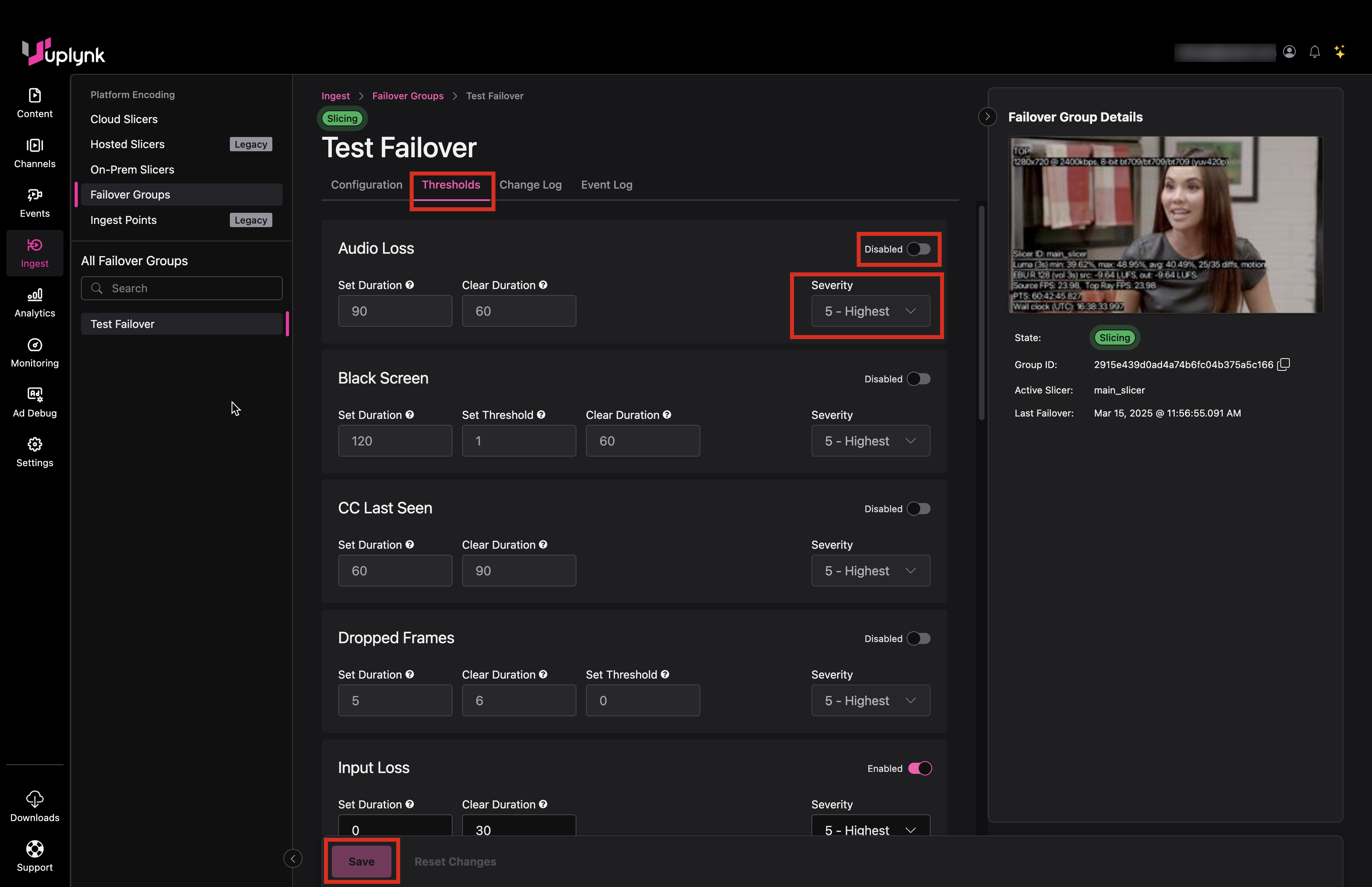
Failover Threshold Definitions
| Category | Parameter | Description |
|---|---|---|
| Audio Loss | Set Duration | Considered failed when missing audio for X seconds |
| Audio Loss | Clear Duration | Considered working when not missing audio for X seconds |
| Black Screen | Set Duration | Considered failed when black screen for X seconds |
| Black Screen | Set Threshold | Luma value for black screen threshold (0-100, with higher being more sensitive) |
| Black Screen | Clear Duration | Considered working when no black screen for X seconds |
| CC Last Seen | Set Duration | Considered failed when missing closed captions for X seconds |
| CC Last Seen | Clear Duration | Considered working when not missing closed captions for X seconds |
| Dropped Frames | Set Duration | Considered failed when frames dropped threshold exceeded for X seconds |
| Dropped Frames | Clear Duration | Considered working when frames dropped threshold not exceeded for X seconds. Frames may be dropped if Slicer overloaded. |
| Dropped Frames | Set Threshold | Number of dropped frames allowed within a five second window |
| Input Loss | Set Duration | Considered failed when no input for X seconds |
| Input Loss | Clear Duration | Considered working when input for X seconds |
| Involuntary Blackout | Toggle | Will failover if Slicer loses connectivity with a Broker (recommended, although disabled by default) |
| Nielsen Last Seen | Set Duration | Considered failed when missing Nielsen tags for X seconds |
| Nielsen Last Seen | Clear Duration | Considered working when not missing Nielsen tags for X seconds |
| Processing Queue | Set Duration | Considered failed when processing queue threshold exceeded for X seconds |
| Processing Queue | Clear Duration | Considered working when processing queue threshold not exceeded for X seconds |
| Processing Queue | Set Threshold | Slicer processing queue depth (A/V packets) where exceeding is considered a failure. This should trigger before the Slicer drops frames. |
| SCTE Last Seen | Set Duration | Considered failed when no SCTE cues for X seconds |
| SCTE Last Seen | Clear Duration | Considered working when SCTE cues for X seconds |
| Static Audio | Set Duration | Considered failed when static audio (volume exactly the same) for X seconds |
| Static Audio | Clear Duration | Considered working when no static audio (volume exactly the same) for X seconds |
| Static Video | Set Duration | Considered failed when static video (static luma value) for X seconds |
| Static Video | Clear Duration | Considered working when no static video (static luma value) for X seconds |
| Upload Queue | Set Duration | Considered failed when upload queue threshold exceeded for X seconds |
| Upload Queue | Clear Duration | Considered working when upload queue threshold not exceeded for X seconds |
| Upload Queue | Set Threshold | Slicer upload queue depth (A/V packets) where exceeding is considered a failure. This indicates that the Slicer is unable to upload packets to the cloud. |
| Video Loss | Set Duration | Considered failed when no video feed in input transport stream for X seconds (No video PID in stream) |
| Video Loss | Clear Duration | Considered working when video feed in input transport stream for X seconds (Video PID in stream) |
| TR 101 290 P1 Errors | Set Duration | Considered failed when TR 101 290 Priority 1 errors occur in input transport stream for X seconds (Recommended to use larger values such 15 seconds or more to allow for slight glitches) |
| TR 101 290 P1 Errors | Clear Duration | Considered working when no TR 101 290 Priority 1 errors occur in input transport stream for X seconds (Recommended to use larger values such 15 seconds or more to allow for slight glitches) |
| TR 101 290 P1 Errors | Number Of Errors | Number of TR 101 290 Priority 1 errors in the input transport stream that is considered a failure |
| TR 101 290 P2 Errors | Set Duration | Considered failed when TR 101 290 Priority 2 errors occur in input transport stream for X seconds (Recommended to use larger values such 15 seconds or more to allow for slight glitches) |
| TR 101 290 P2 Errors | Clear Duration | Considered working when no TR 101 290 Priority 2 errors occur in input transport stream for X seconds (Recommended to use larger values such 15 seconds or more to allow for slight glitches) |
| TR 101 290 P2 Errors | Number Of Errors | Number of TR 101 290 Priority 2 errors in the input transport stream that is considered a failure |
TR 101 290 Faults
TR 101 290 is a specification used to define errors in an MPEG Transport Stream. There are Priority 1 and Priority 2 faults. TR 101 290 errors are defined in https://www.etsi.org/deliver/etsi_tr/101200_101299/101290/01.04.01_60/tr_101290v010401p.pdf.
To use TR 101 290 for Slicer Failover, you must enable it in the Slicer configuration file. TR 101 290 failover thresholds require Slicer version 22083100 or higher.
These are TR 101 290 Priority 1 faults:
- TS Sync Loss
- Sync Byte Error
- PAT Error
- Continuity Count Error
- PMT Error
- PID Error
These are TR 101 290 Priority 2 faults:
- Transport Error
- CRC Error
- PCR Error
- PCR Accuracy Error
- PTS Error
- CAT Error
Failover Status Monitoring
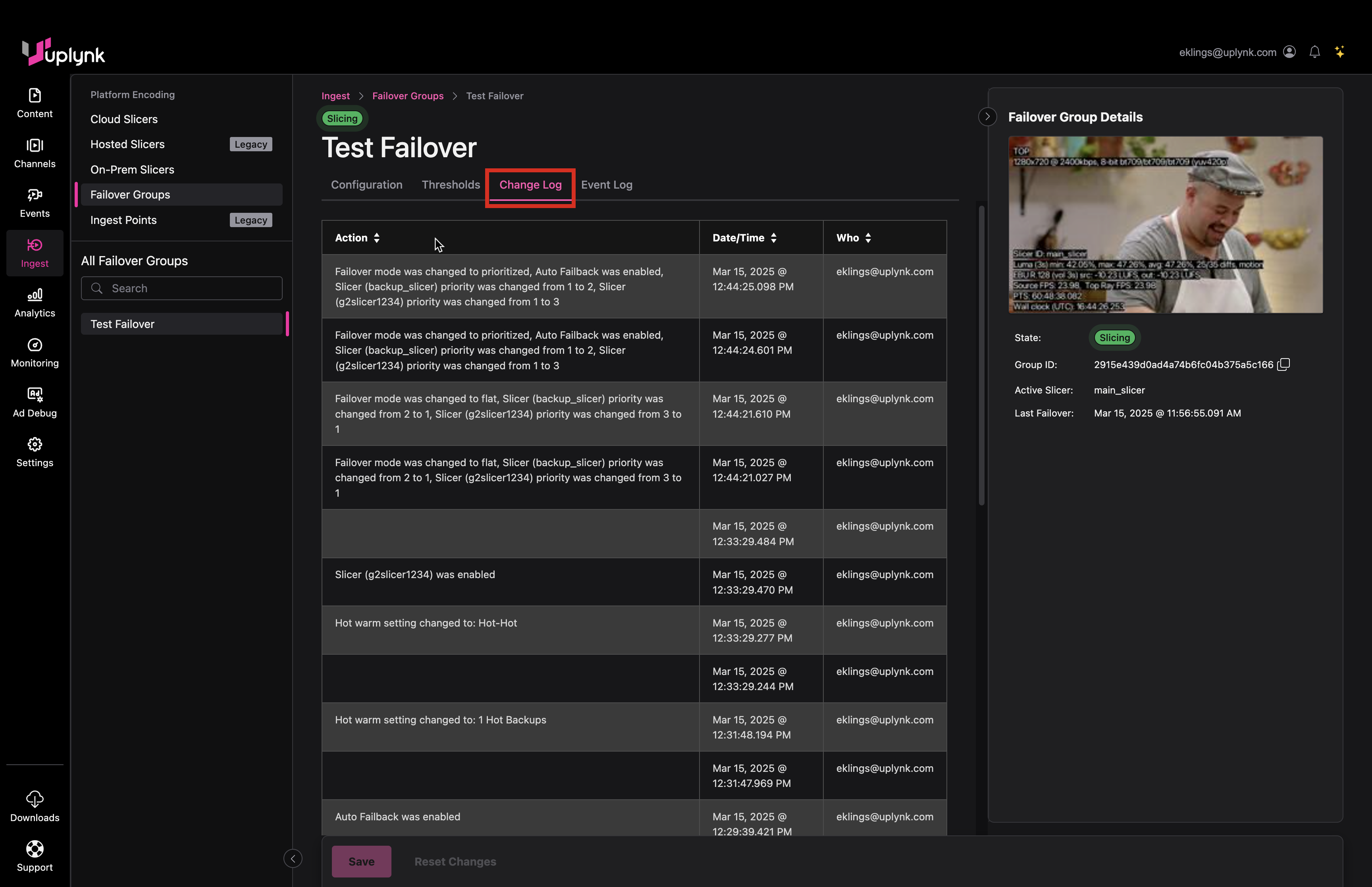
Change Log displays all user changes to the failover configuration.
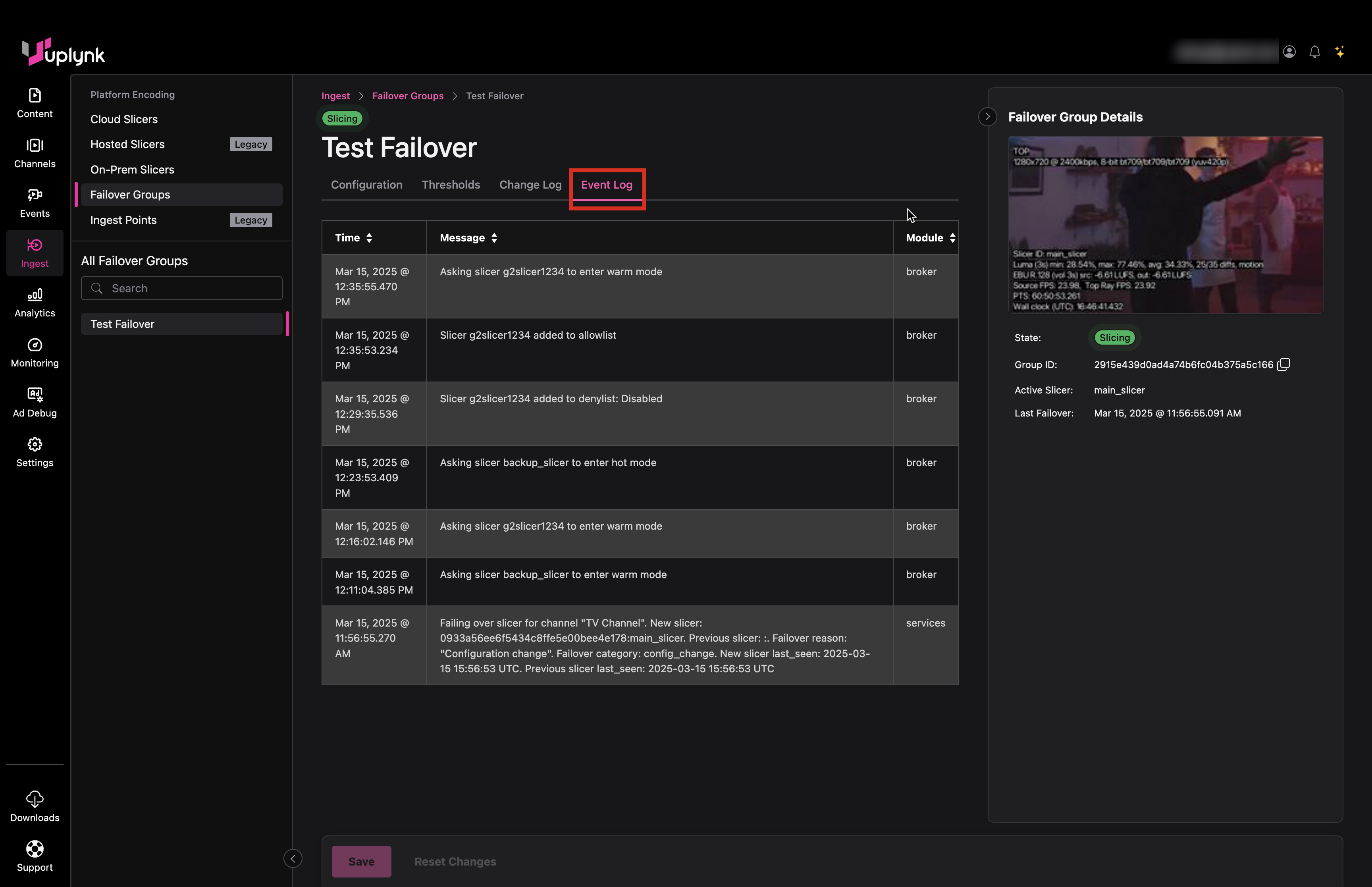
Event Log displays all events detected by the failover mechanism, including allowlisting and denylisting events.
Updated about 2 months ago