
Squeezebacks
Place an ad beside your live content instead of replacing it, using the L-Shape or Double Box format.
Squeezebacks are in beta. Contact your account team to enable the feature on your account.
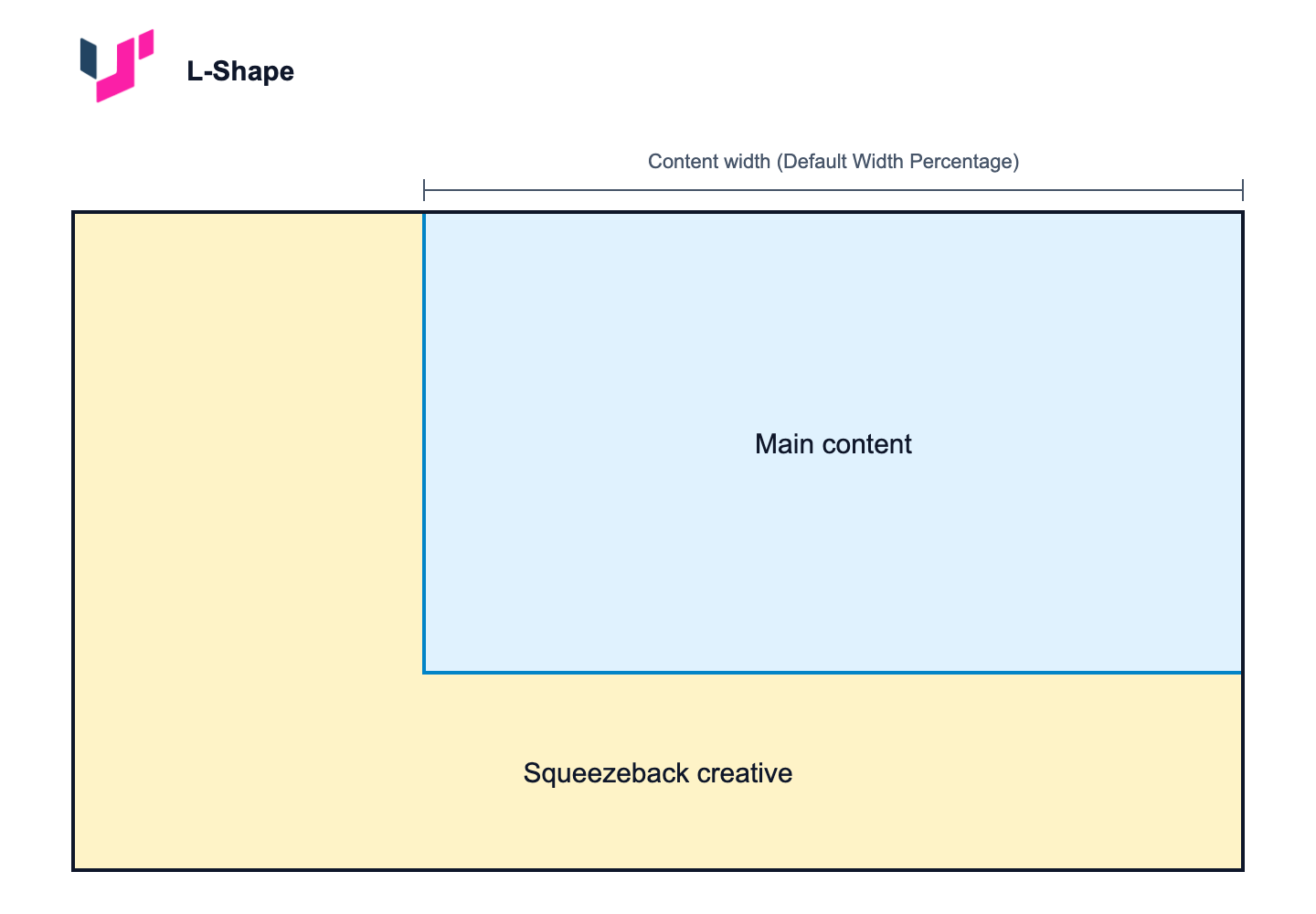
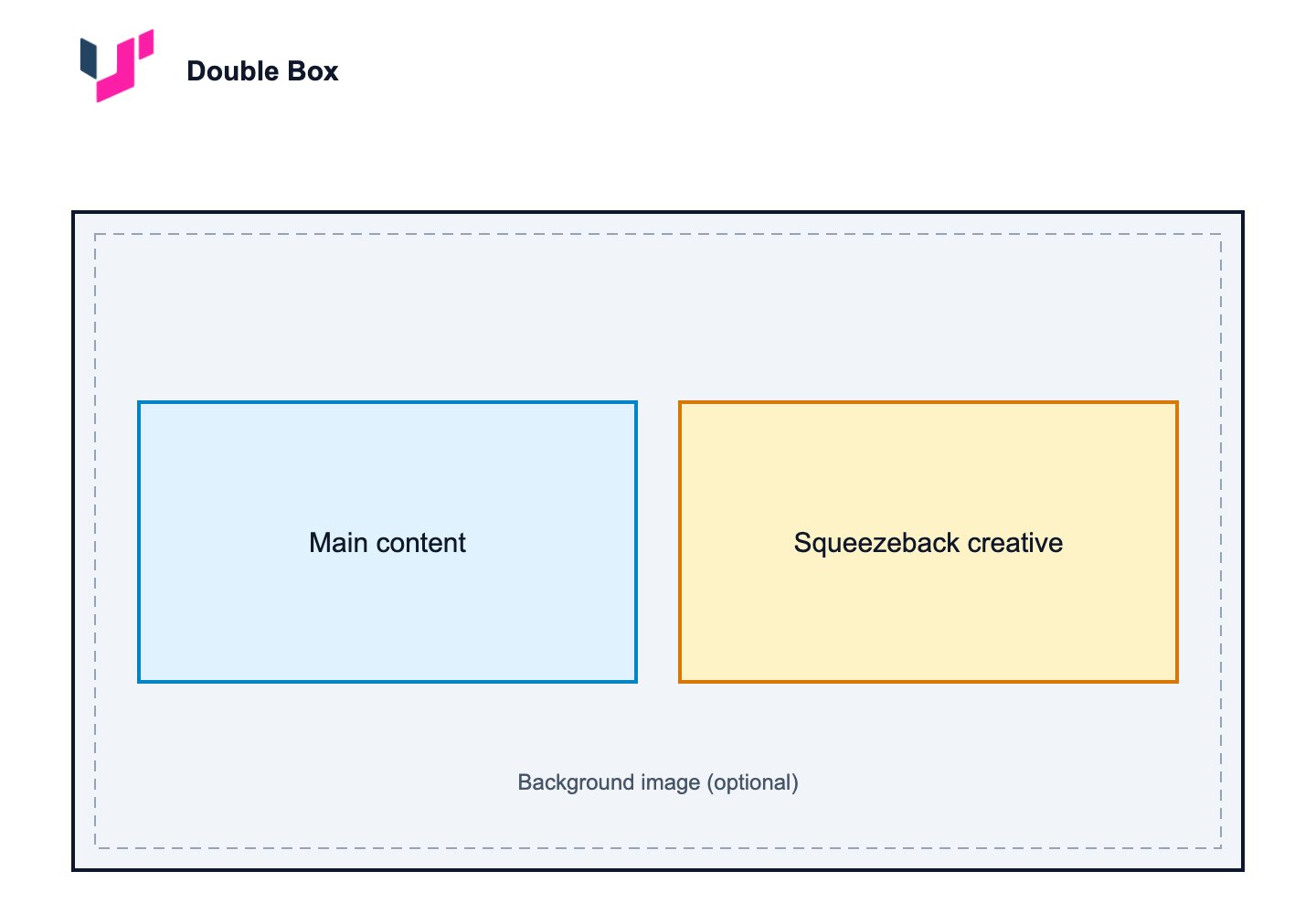
A squeezeback places an ad beside your live content instead of replacing it. The primary stream is composited at a reduced size, and the ad occupies the remaining screen area. Viewers keep watching your content while the ad is on screen.
This lets you monetize a live event without cutting away from it, which matters most when content continuity is part of the product: sports, news, and live shopping.
Squeezebacks are built for advertising, and that is where most customers use them. The same mechanism works for any prepared graphic or video you want beside live content, such as a promo for upcoming programming, an infographic, or a credits squeeze.
Use Cases
- Sports. Run a sponsor creative in an L-Shape while play continues, monetizing a lull without cutting away from the action.
- News. Take a Double Box during a segment transition. The anchor stays on screen while the ad plays beside them.
- Live shopping and auctions. Keep the product feed in one box and run a promotional video in the other.
Supported Formats
| Format | Description |
|---|---|
| L-Shape | Your content is reduced and sits in the upper right. The creative occupies an L-shaped region across the bottom and the left side. |
| Double Box | The screen splits into two boxes, one for your content and one for the creative video. You can add a branded background image behind both boxes. |
Both formats follow the IAB Tech Lab CTV ad portfolio guidance.
Creative Sources
| Source | How it works |
|---|---|
| Workspace Creatives | You upload an image (L-Shape) or a video (Double Box) to the Creatives library. The asset is stored in your workspace and used directly on insertion. |
| Ad Server | You configure targeting key-value pairs. On cue, the system requests VAST from your ad server, parses the response, and extracts the MP4 creative for compositing. |
L-Shape supports uploaded creatives only. There is no ad server option for L-Shape.
Limitations
- Only one squeezeback can be active at a time.
- All viewers see the same composited output.
- A creative is a prepared image or video. A squeezeback cannot render live data such as a weather feed or a scrolling ticker.
Squeezebacks in Ad Reporting
Every squeezeback is inserted as an ad break, whether or not its creative is an ad. Where it is reported depends on the creative source: an Ad Server squeezeback appears in Ad Inspector alongside your real ads, while a Workspace Creative squeezeback is reported through the Ads Stats API instead.
The squeezeback Name is what distinguishes them afterward. If you use squeezebacks for content other than ads, adopt a naming convention so you can filter them in reports later. For example, prefix non-ad squeezebacks with promo- or house-.
Next Steps
- Squeezeback Configuration: account defaults, uploading creatives, adding squeezebacks to a live event, CSV import, and per-session beaconing.
- Squeezeback Insertion and Monitoring: cueing and taking a squeezeback during a live event, and verifying delivery.
Updated about 2 months ago